

I Would Rather Spend an Evening on a Web Scraper than Use Your App


I'm an extremely stubborn person, especially when it comes to how I interact with technology. For example, I vastly prefer to listen to audio (music, textbook audio examples, etc.) offline and in my music player, [1] and I'm determined to ensure I can do that.
My partner's brother just got married, and since his spouse is Swedish and the U.S. is…*gestures vaguely at everything*, he's moving to Sweden. My partner is learning Swedish, and I think it could be fun to learn some too (I do like languages/linguistics). I have the textbook Complete Swedish: Beginner to Intermediate by Anneli Haake, and it seems great—aimed at self-teaching and includes audio resources. Unfortunately, the audio resources are either available through an online player or in the publisher's app. [2]
Since the online audio player embeds MP3s, and the links to the files are visible in the HTML source, I decided to make a web scraper to download the MP3s and use them how I want. Let's have a look at what that entails!
Understanding the Page Structure
First, I looked at the page source to see what I'm dealing with. I found a list of <item> elements, with the MP3s in the url="" field. There were two issues with this, however. First, these <item> elements don't show up until you click on the play button in the web player. This meant I had to do that manually and then download the HTML, rather than directly giving the URL to my scraper.
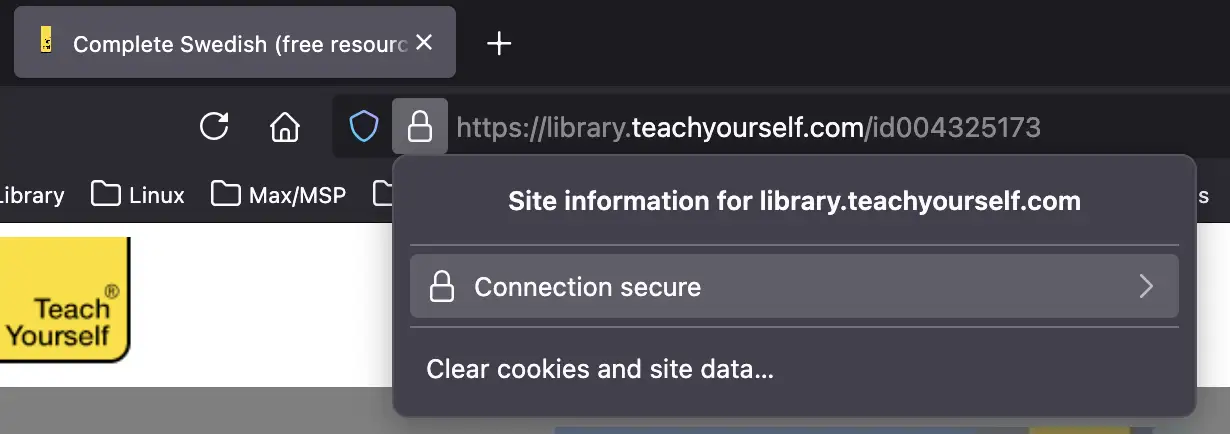
Second, the MP3 links in the url="" fields were relative links, and they didn't work when I appended them to the page URL. I also wasn't able to find the CDN URL for them by searching the page source. What did turn out to work was using the “Page Info” feature in Firefox. I clicked on the lock icon in the URL bar, followed by the “connection secure” field in the resulting menu…
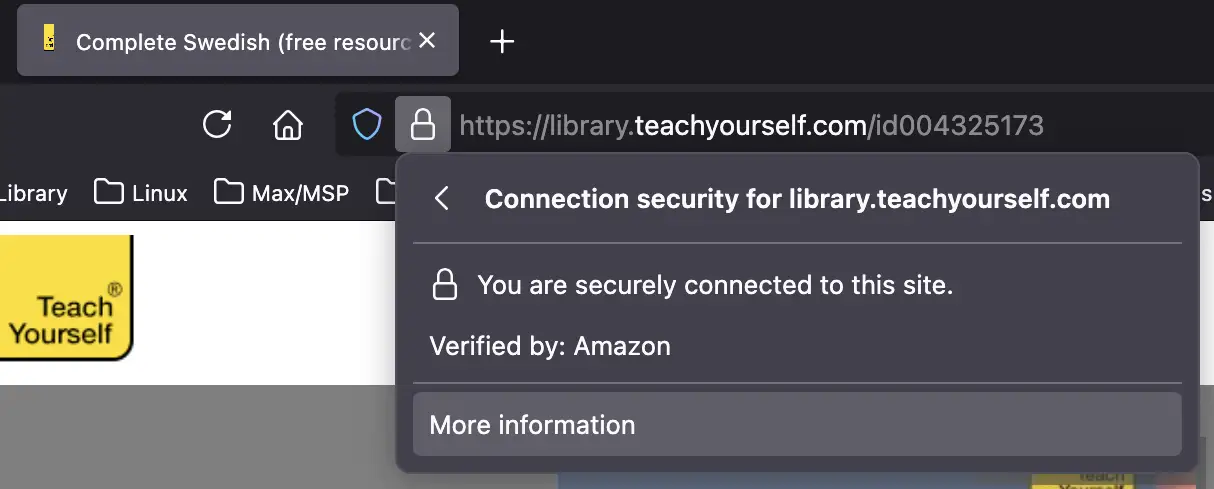
…I clicked on “more information”…
…and in the resulting “Page Info” popup, I went to the “media” tab and looked for items with the type “Audio.”
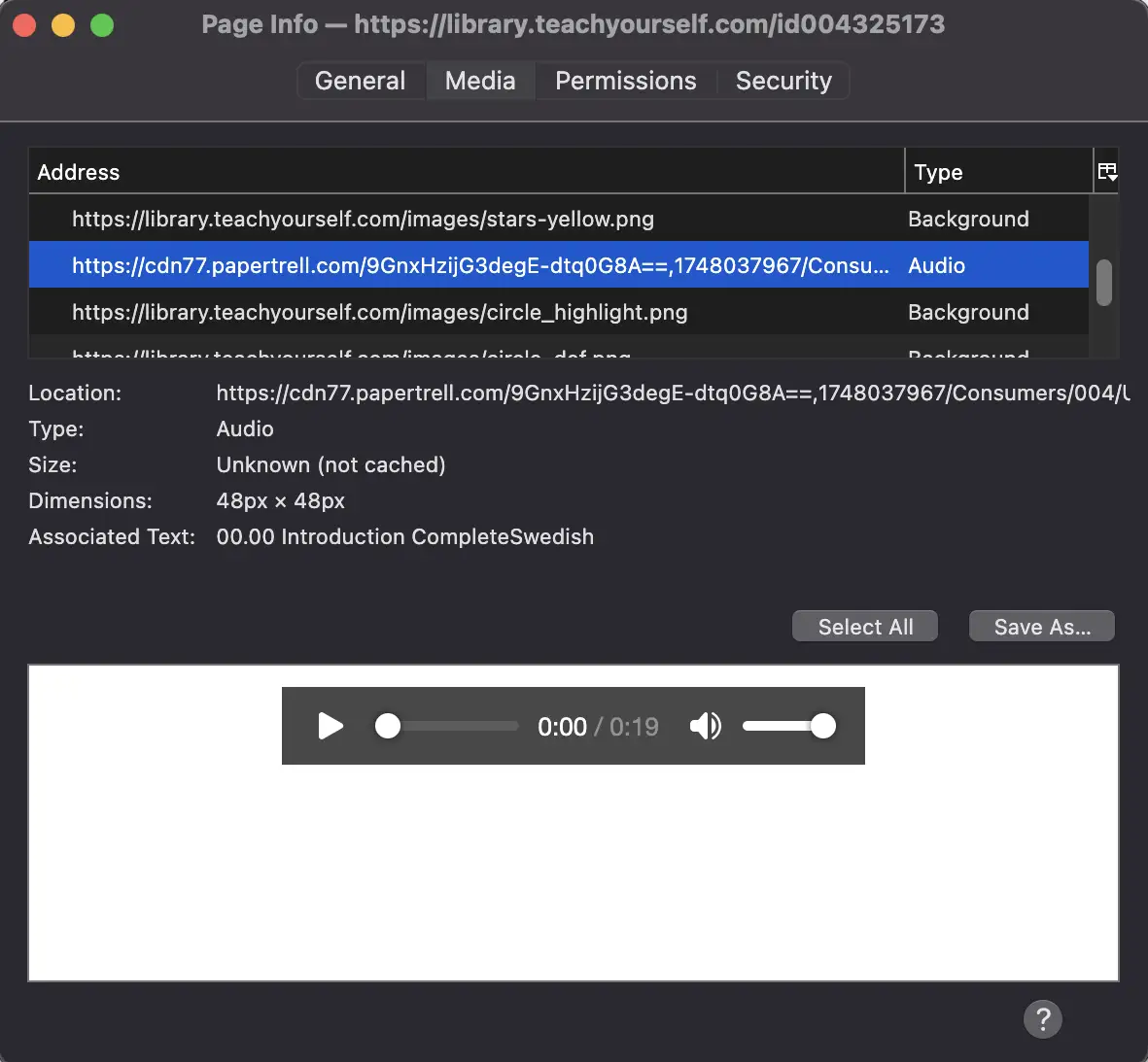
By comparing the URL for the resulting media files to the relative URLs in the <item> HTML tags, I was able to get the CDN root URL for the files, which I confirmed to work with the relative URLs.
Parsing the Page with Cheerio
I've played around a bit with the cheerio Node JS library for parsing HTML, and since I wanted some more experience with it for other projects anyway, [3] I decided to go with that. My resulting code is below.
import * as fs from 'fs';
import * as https from 'https';
import * as cheerio from 'cheerio';

const buffer = fs.readFileSync("swedish.html");
const $ = cheerio.loadBuffer(buffer)

const cdn_root = "https://cdn77.papertrell.com/AkplUGiYnqjKEYG4SiU1hQ==,1747972188/Consumers/004/Users/325/Publish/004325173/";

const item_list = $('item');

item_list.each((index, element) => {
    const media_url = $(element).attr('url');
    const file_name = media_url.split('/').pop();
    const file = fs.createWriteStream('output/' + file_name);
    const request = https.get(cdn_root + media_url, (response) => {
        response.pipe(file);
        file.on("finish", () => {
            file.close();
            console.log(`Downloaded ${file_name}`);
        })
    })
})
Cheerio uses a subset of jQuery's syntax. In line 6, I assign a cheerio object to the constant $ with the cheerio.loadBuffer() method. As I mentioned, I'm doing this with an HTML file I manually downloaded since I need to have clicked the play button.
In line 10, the syntax $('item') retrieves all <item> elements, and I can iterate over them with .each(). I get the relative URL with $(element).attr('url'), and I get only the string after the last "/" with media_url.split('/').pop(). fs.createWriteStream() opens the file to be written; https.get() requests the file from the URL I've parsed; response.pipe() writes the response to a file; and on finishing the file, file.close() closes the write stream.
Situated Software and Agency
In this post I quoted Robin Sloan writing about “situated” or “home-cooked” software:
People don’t only learn to cook so they can become chefs. Some do! But many more people learn to cook so they can eat better, or more affordably. Because they want to carry on a tradition. Sometimes they learn because they’re bored! Or even because they enjoy spending time with the person who’s teaching them.
The list of reasons to “learn to cook” overflows, and only a handful have anything to do with the marketplace.
I'm completely self-taught at coding, and in addition to it being fun for me, I'm finding that having coding skills is helpful in working around “enshittification”. It's nice to be able to make small software that gives me agency.
Since I don't have much experience with cheerio/web-scraping, it took a little longer than it absolutely needed to, and I may have been able to manually download the MP3s in a similar amount of time, but I would much rather spend that time on something I value (coding) and come out of it with some additional coding practice, so I consider this a success. Until next time!
For my phone, I use Auxio, which you can get via F-Droid, Obtainium, or Accrescent, among other non-Google sources. ↩︎
Insert GIF of the Earl of Lemongrab screaming “UNACCEPTABLE!” ↩︎
I'm using the Eleventy table of contents plugin to generate a table of contents from the header elements in a post. Since it hasn't been updated since 2021, I've tried directly using cheerio (which the plugin is based on), but wasn't having a lot of success. I figure playing with cheerio some more will help with that. ↩︎
---END OF TRANSMISSION---

Leave a Comment